Graphic & Web Design
Is Microsoft Paint dead or can we still get some use out of it?
“By failing to prepare you are preparing to fail.” – Benjamin Franklin | American polymath, Founding Fathers of the United States

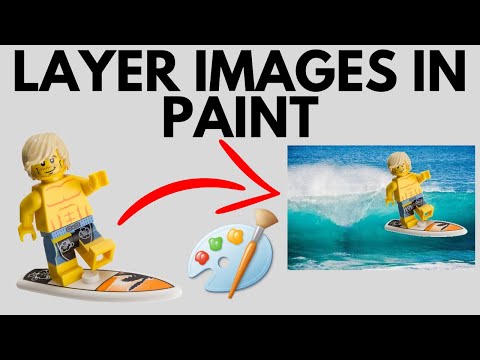

Microsoft Paint, while useful for basic image editing, is not designed for professional photographers for several reasons:
1. Limited Editing Tools:
- No advanced editing options: Paint lacks advanced tools for photo manipulation such as layers, masks, curves, and adjustment layers, which are critical for precise editing.
- Limited color correction: It offers very basic color adjustments, without professional-grade control over color profiles, white balance, contrast, and exposure.
2. No Support for RAW Files:
- Photographers often shoot in RAW format to capture all the details in an image. Paint does not support RAW files, which means photographers cannot edit these high-quality images directly.
3. Low-Resolution Editing:
- Paint is not optimized for high-resolution image handling, which is important for photographers working with large, detailed files. This can result in quality loss or lag when working on large images.
4. Lack of Precision Tools:
- Professional photo editing requires tools like a healing brush, clone stamp, or content-aware fill, none of which are available in Paint. These tools are essential for retouching, removing blemishes, or making precise edits.
5. No Batch Processing:
- Photographers often need to process multiple photos at once, applying the same edits to several images. Paint has no batch processing capabilities, which would make this task tedious.
6. No Non-Destructive Editing:
- Professional tools like Adobe Photoshop or Lightroom allow for non-destructive editing, meaning you can edit without altering the original image. Paint permanently alters the image once changes are saved.
7. Poor Text and Design Features:
- Text and graphic design features in Paint are very basic. It does not provide advanced typography tools or vector support, which are necessary for some types of image composition in photography.
8. No Plugins or Extensibility:
- Paint does not support third-party plugins or extensions, limiting its functionality compared to professional photo editing software like Photoshop, which can be customized and extended with plugins.
For photographers, tools like Adobe Photoshop, Lightroom, or even alternatives like GIMP or Affinity Photo provide far more robust features for editing, organizing, and enhancing images.
While Microsoft Paint lacks the professional tools needed for advanced photo editing, it does have some positive aspects that might appeal to photographers in specific contexts.

Here’s what’s right with Microsoft Paint for photographers, especially for quick and basic tasks:
1. Simplicity and Ease of Use:
- User-friendly: Paint has an intuitive and simple interface, making it easy to perform basic edits without a steep learning curve. Photographers who need a quick and straightforward solution for simple tasks may find it useful.
- Great for beginners: Paint is a great tool for those who are new to image editing or don’t require sophisticated tools.
2. Quick Edits:
- Fast image editing: For quick and simple adjustments, like cropping, resizing, or adding basic text, Paint can get the job done without the need to open a more resource-intensive program.
- Drawing and annotations: Paint’s simple drawing tools make it useful for quick annotations or adding basic graphics to images, which can help share visual notes or mock-ups.
3. Low System Requirements:
- Lightweight: Unlike more advanced photo editing software, Paint is very lightweight and doesn’t require a powerful computer to run. It can be handy for photographers working on devices with limited resources.
- No installation hassle: Paint comes pre-installed with Windows, so it’s immediately accessible without requiring additional downloads or installations.
4. Basic File Formats Support:
- Supports common file formats: While it doesn’t handle RAW files, Paint does support widely used image formats like JPEG, PNG, BMP, and GIF. This makes it useful for editing standard image files quickly.
5. Quick Cropping and Resizing:
- Efficient cropping and resizing: For photographers who need to crop or resize an image for a quick social media post, thumbnail, or web use, Paint is a fast, no-fuss option.
6. Basic Color Fill and Adjustments:
- Basic color fills: Paint allows for simple color fills and adjustments, such as solid color fills, which might be sufficient for basic graphic work or visual changes.
7. Offline Availability:
- No need for Internet: Since Paint is a desktop application, it doesn’t require Internet access. This can be useful in situations where a photographer may need to make quick edits without relying on cloud-based services.
8. Free and Always Available:
- Free: Paint is included with every copy of Windows, making it a cost-free solution. For photographers who don’t want to invest in expensive software for simple tasks, this can be a significant advantage.
- Always available: Whether you’re on a new computer or one that’s been around for a while, Paint is typically installed by default on Windows, so you can always access it quickly.
9. Learning Tool for Children or Beginners:
- Great introduction for kids or beginners: If a photographer has a child interested in photo editing or drawing, Paint is a great way to introduce them to the basics of digital art and image manipulation.
10. No Overcomplication for Basic Tasks:
- No unnecessary features: For someone who only needs to do simple tasks, Paint avoids the complexity of advanced tools, which can sometimes be overwhelming for those not needing them.
While Microsoft Paint is far from the ideal tool for professional photographers, its simplicity, ease of use, and availability make it a useful tool for specific, basic tasks.
It’s good for quick fixes, simple annotations, or edits that don’t require the power of advanced photo editing software. For photographers who only need to perform occasional, simple edits, Paint can still play a role in their toolkit.